

Simplifying MIDI Pedal Management: The Multi Engage/Bypass Solution
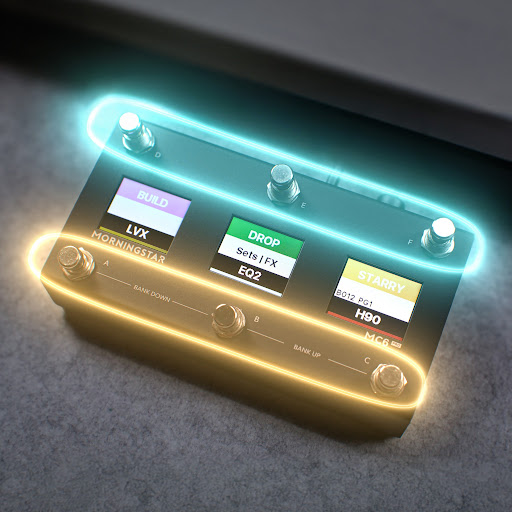
Updated: Nov 24, 2025
Meet the Multi Engage/Bypass Message
With the new Multi Engage/Bypass message type (available in firmware 3.13.5), you can set the bypass states of all your pedals with a single message. This feature is available for all Morningstar MIDI controllers, both PRO and Standard.

How It Works
Here’s how it works:
Select the Multi Engage/Bypass message type.
You’ll see checkboxes, each with the names of their corresponding connected MIDI devices.
Choose from three modes:
Engage: Engages only the checked devices.
Bypass: Bypasses only the checked devices.
Set: Engages checked devices and bypasses unchecked ones (our personal favorite).
With Set, you get instant visual clarity—checked pedals are engaged, and unchecked ones are bypassed.
Easy One-Time Setup

Before diving in, you'll need to first set up your Engage and Bypass messages:
In the Editor, go to Controller Settings > Edit MIDI Channel Settings.
For each channel, add the CC number and value for Engage and Bypass.
- Example: The Kernom Ridge uses CC #28 (Value 127 for Engage, 0 for Bypass).
Do this once for each pedal, and you’re done.
From here on, you can control all your pedals’ states with just one Multi Engage/Bypass message. No more cluttered presets or endless scrolling through CC commands.
Syncing Switch States with Actual Bypass States

If you’ve set up a page of toggle switches for individual effects, pair the Set Toggle message with Multi Engage/Bypass. This keeps your switch toggle states perfectly in sync with your pedals’ actual bypass states, easily making your rig feel seamless.
Why This Changes the Game
This feature isn’t just a time-saver. It’s a creativity enabler. You’ll spend much less time programming and more time doing what matters—making music.
The Benefits of Multi Engage/Bypass
The Multi Engage/Bypass message type simplifies your workflow. Here are some key benefits:
Efficiency: Save time by managing multiple pedals with a single command.
Clarity: Visual indicators help you see which pedals are engaged or bypassed at a glance.
Flexibility: Easily switch between different modes to suit your performance needs.
Conclusion
Update your firmware to 3.13.5, try out the new Multi Engage/Bypass message type, and experience a more effortless, intuitive way to control your pedalboard!
This innovative solution is designed to enhance your musical experience. Whether you're performing live or recording in the studio, the Multi Engage/Bypass feature will help you focus on what truly matters—your music.


